
DYI: Notifications from SGPro to an electricimp device
This is a quick way to send notifications from SGPpro to a device. Depending on the type of message the SGpro sends to the device, the device will light up a certain color LED. I am using an electricimp, if you are nor familiar with this particular device start here. SGP sends emails with the following titles:
- SGPro Error
- SGPro Warning
- Test Message from SGPro
- SGPpro….Completed
The messages will be from SGPro through a mailgun account and routed to the electricimp. The imp will parse the message subject and accordingly will display:
- Green – All good
- Red – Error
- Yellow – Warning
- Blue – Test
- All – Unknown message
First you need to setup a free mailgun account. Follow the steps in this post. After completing this step you need to set up a route. Effectively, mailgun receives your message then sends an HTTP Post with details to your imp. There are four parts:
- Hardware Setup
- Electricimp code
- Mailgun routing setup
- SGpro Setup
1. Hardware Setup
You need an electric imp device. I also connected a LiPo battery since I wanted it to be portable. However, that is not a necessary step as you can power your imp through USB. You can also put the device in a case to make it more visually appealing.
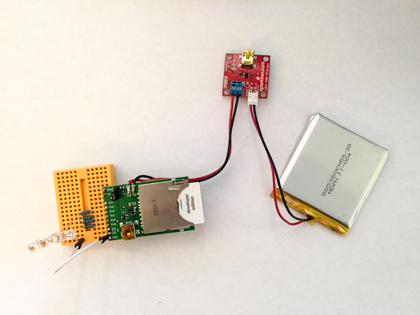
Hardware list
- Electricimp
- Electricimp breakout
- Red,Blue,Yellow,Green Led
- Mini Breadboard
- Jumper wire
- Optional: Polymer Lithium Battery
- Optional: LiPo USB charger
- Resistors (I used 200KΩ)
There is plenty room to adjust components in the list. I just used my spare parts.
The first step is to assemble and power your electricimp. Read this.
Then connect your leds to the pins via a resistor as follows. Read this first.
- Blue led goes to pin 7
- Red led goes to pin 8
- Yellow led goes to pin 9
- Green led goes to pin 5
All the cathodes are connected to ground.
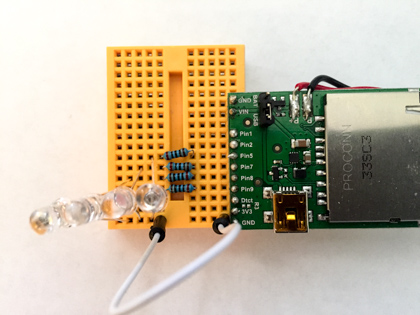
This step might take awhile, be patient.
2. Electricimp code
The imp uses an online IDE. Read this to understand how to setup and program the imp.
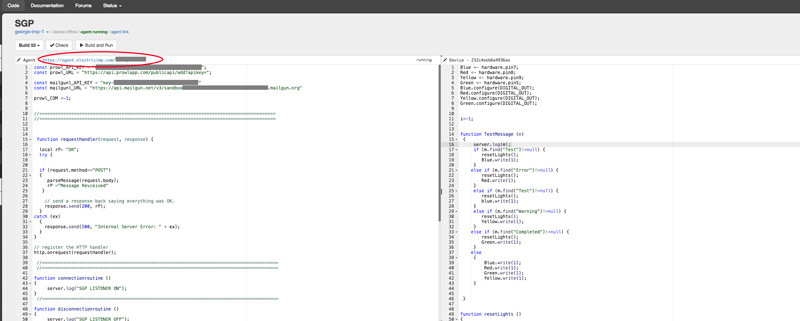
My code is available here. Finally make a note of the agent’s address (the one circled) It should look like this:

3. Mailgun routing setup
Before this step you need to have a mailgun account setup. See my post and follow instructions.
Now lets set up the routing options. Read more about routes here. In mailgun, select the following routes:
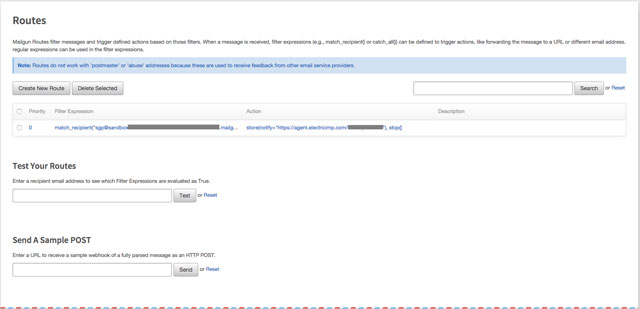
Create a new route
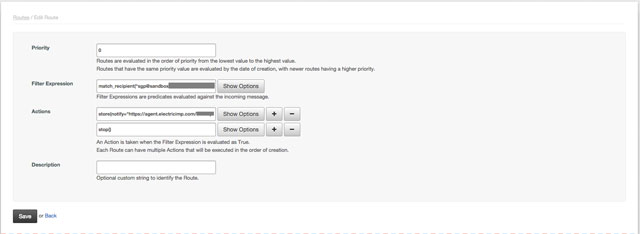
The rules are pretty simple.
- Filter Expression = sgp@xxxxx.mailgun.org
- Actions : Store(Notify:https://agent.electricimp.com/xxxxxxx
4. SGPro Setup
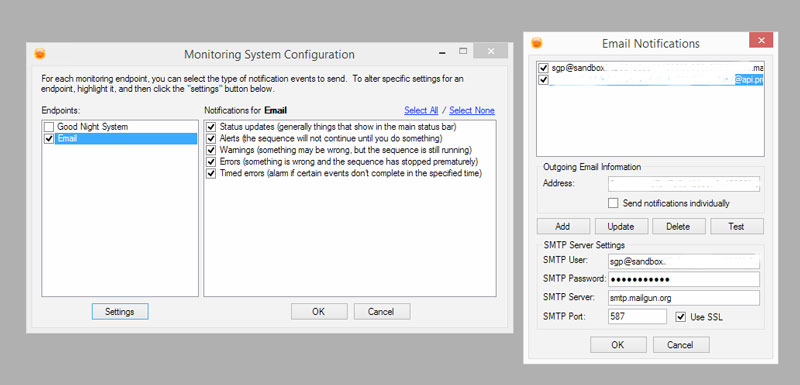
In SGPro add a new Address, which is the sgp@xxxx.mail.org. Press Test and you should see :
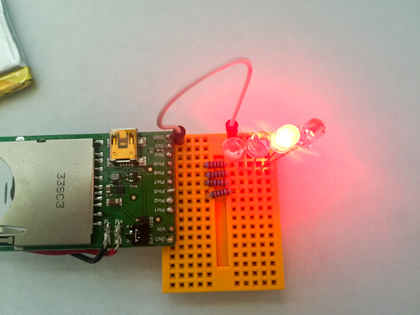
Enjoy!!!! 😉
DYI: Notifications from SGPro to your iphone
SGPro added notifications through email. This is a quick way to get notifications in Prowl (and Growl) on your iphone.

First you need to purchase Prowl form the iTunes store here. Or through your iPhone’s store
You also have to have a mail account. I created a mailgun account so I do not clutter my main mailbox.
To create a mailgun account, and get the settings go to www.mailgun.com. Sign up for a free account. Then form the mail panel:
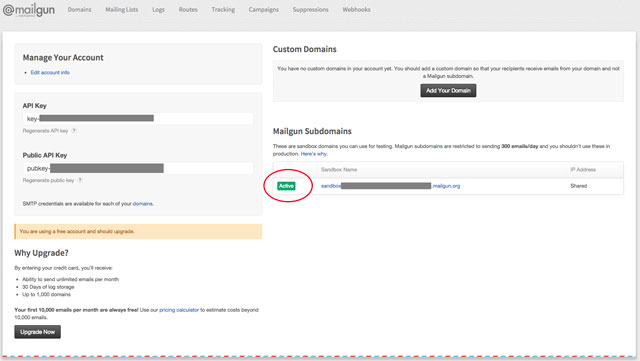
You will be given API Keys and the default postmaster@XXX.mailgun.org account. You will need to create a new account.
click on activate:
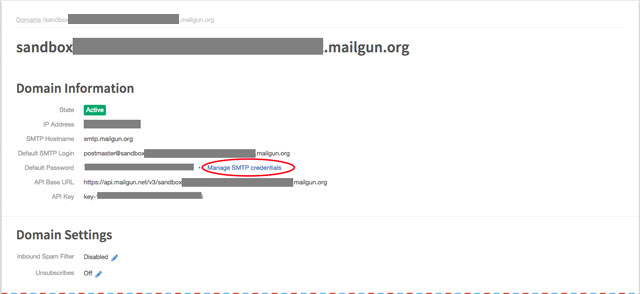
click Manage SMTP credentials
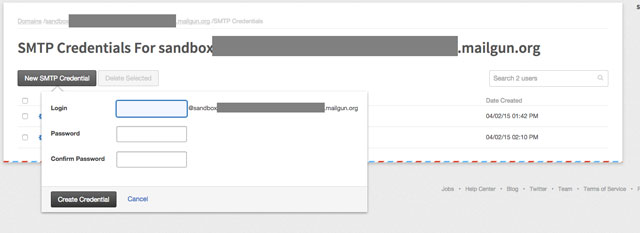
and create a new account. I used sgp@xxxxx.mailgun.org and password. You will need this to configure the SGP mail settings
You next have to create a Prowl email account. So go to prowlapp.com
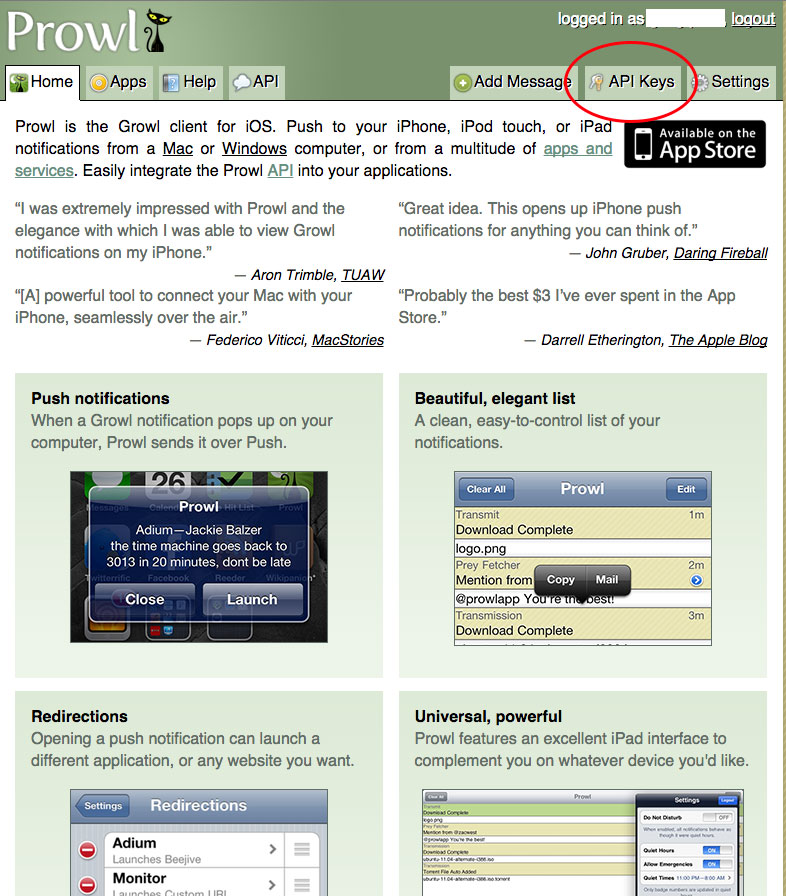
Select API Keys and generate a new key. Name it SGPPro:
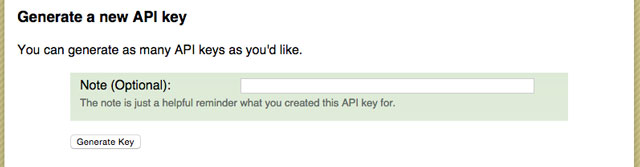
And generate:
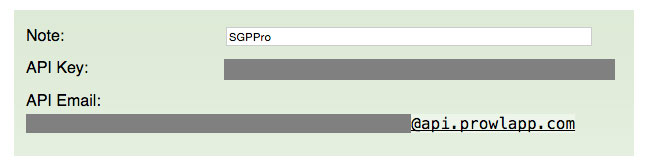
Now you have an API Email for your app (xxxxx@api.prowlapp.com). Now lets tailor it together.
Start SGPro and Select Tools/Configure Notifications/Settings
For address enter the prowl email you created above
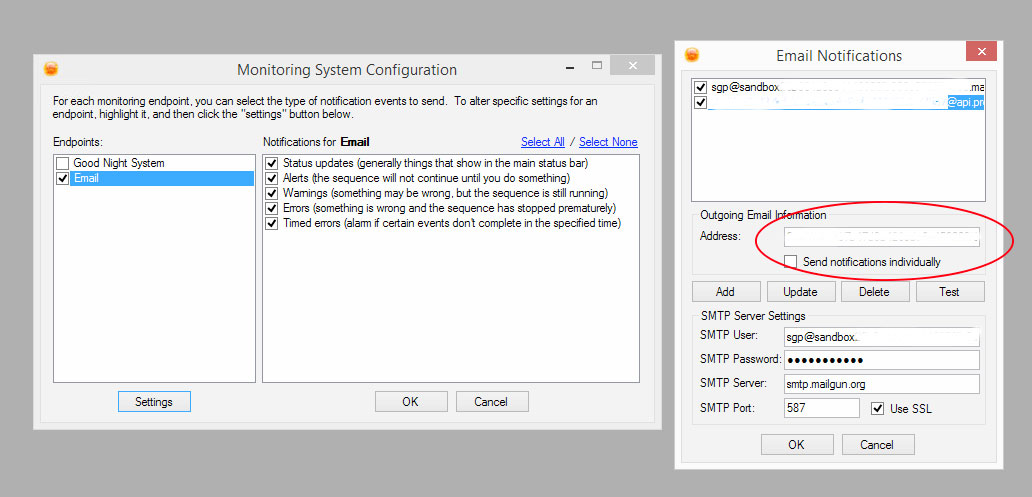
and for you settings add the settings from your mailgun server.
Use smpt.mailgun.org for SMTP Server
Username and password are the ones you created (sgp@xxxxx.mailgun.org)
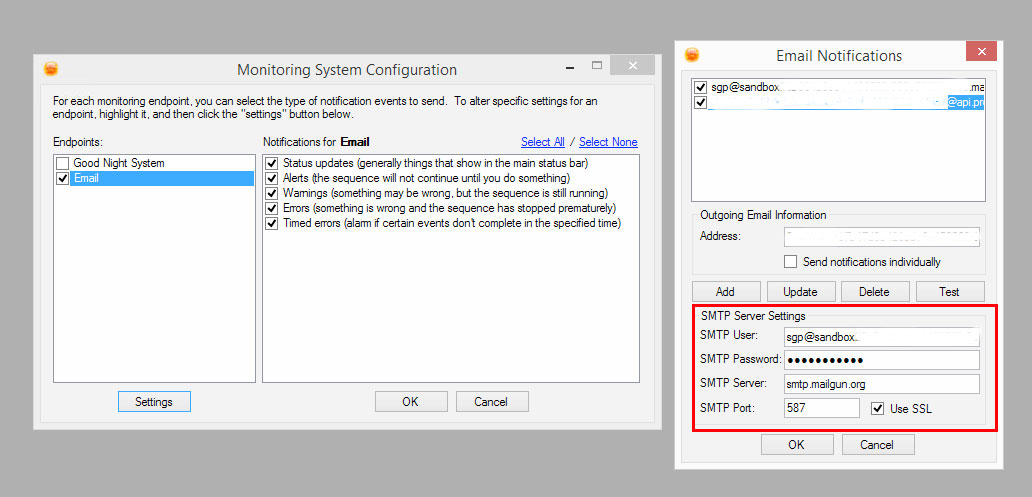
Press test and watch for the notification in your iPhone. Enjoy!!!! 😉
Making the Rosette Nebula Mosaic
My imaging field of view is 1.37° x 1.03° (more on this here), which is very limiting when targeting large nebula. As you can see below, My image of the Rosette Nebula is too contained. The nebula has no room to “float” in space.

I wanted a 2°x 2° image so my options were either a smaller telescope or a mosaic.
If you are new to astrophotography, I strongly recommend you start with Starizona’s guide to imaging.
Planning the Mosaic
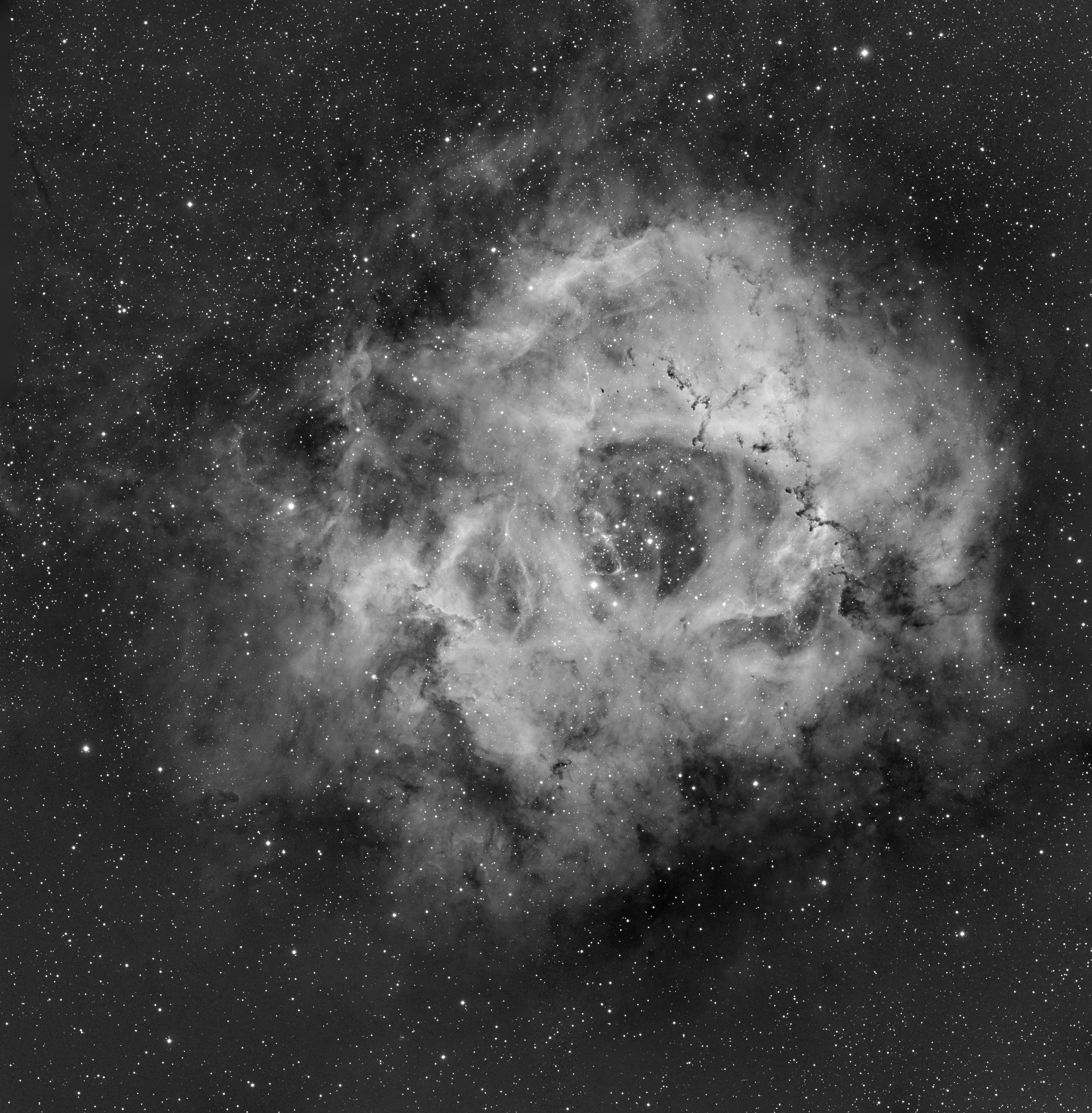
To create the 2°x 2° mosaic of the Rosette Nebula in narrowband I used Sequence Generator Pro‘s Framing and Mosaic wizard. With some rotation, I was able to fit nebula in the 2×2 frame mosaic.
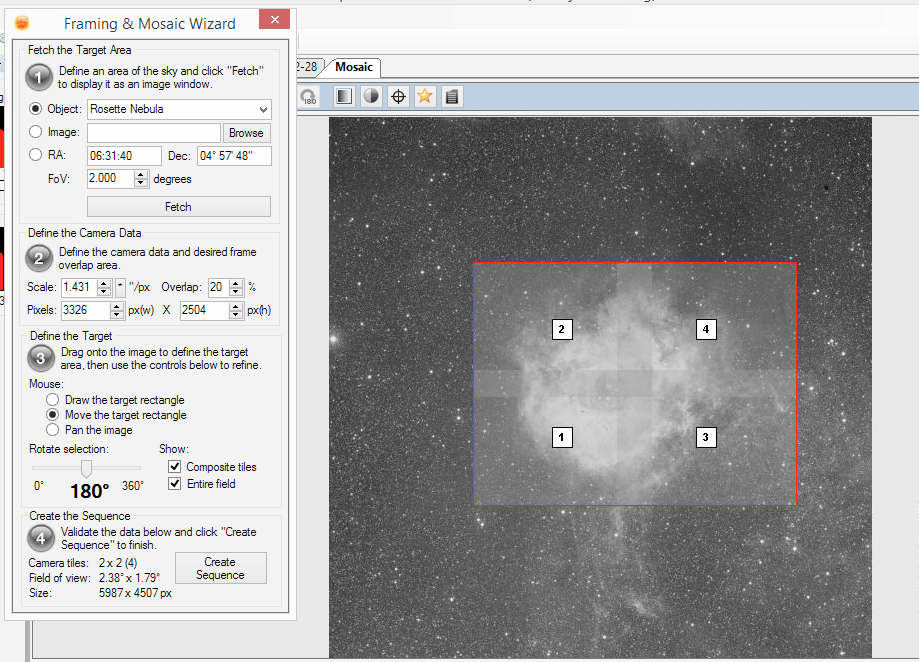
The planning session in Skysafari estimated roughly 5 hours or imaging per night (less with the ever time consuming meridian flip)


Imaging Sessions
Light pollution: Bellevue is a city. Is rank 7-8 in the Bortle Scale. For a light pollution map go here. For a great article about the effects of light pollution on astrophotography go here. I will be using Narrowband filters Ha, OIII and SII. In previous attempts I had good results with 20 minute exposures in Ha and 30 minute exposures in OIII and SII.
Number of frames: Astro images straight out of the camera tend to be noisy. The Signal to Noise Ratio (SNR) of an image can be increased in post processing using image integration (combination) . Post processing requires multiple images of the same object (Light frames or subs), and multiple calibration frames (Bias, Darks, Flats). More here. A very effective image integration algorithm is Winsorization but it requires at least 8 frames per filter. (For a deeper dive on image integration go here.)
Time, time, time: In the section above I determined that I have a 5 hour imaging window. Prior to the first image of the night, the telescope has be focused, find where it points to the sky, calibrate its autoguider, then slew to the target, center, rotate, focus again, wait for the autoguider to settle and then start imaging. That routine averages 10 minutes and takes away from pure imaging. Another time sink is a meridian flip, a maneuver by the mount to reposition the telescope on the target when it crosses the Meridian. After a flip which usually takes 2-5 minutes all the startup steps apply so the overall cost is 12-15 minutes. That cuts the imaging window to 4 hours and 30 minutes.
Overall:
Ha = 8 subs x 20m x 4 mosaic frames ~ 11 hours ~ 3 nights
OIII = 8 subs x 30m x 4 mosaic frames ~ 16 hours ~ 4 nights
SII = 8 subs x 30 m x 4 mosaic frames ~ 16 hours ~ 4 nights
The minimum number of imaging sessions is 8 nights. That is… 11 clear February/ March nights in Seattle.
Global warming to the rescue “Seattle sets twin records for warmest February, winter on record”
Starting with Ha
January 28-29th, 2015 : 8 x 20 min subs of the central region

February 22-23rd , 2015 : 8 x 20 min subs of top right and left areas
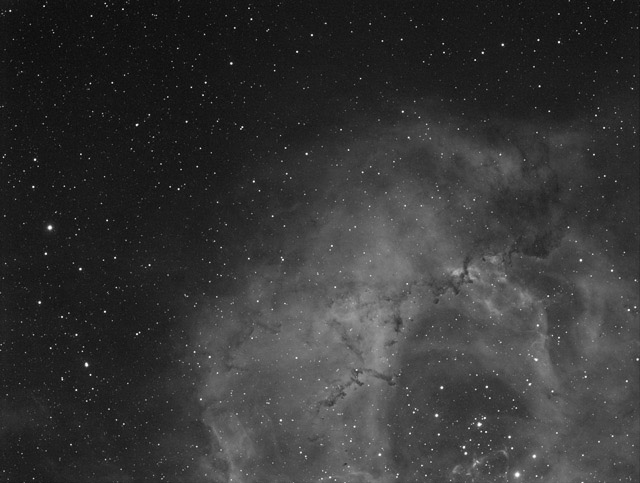
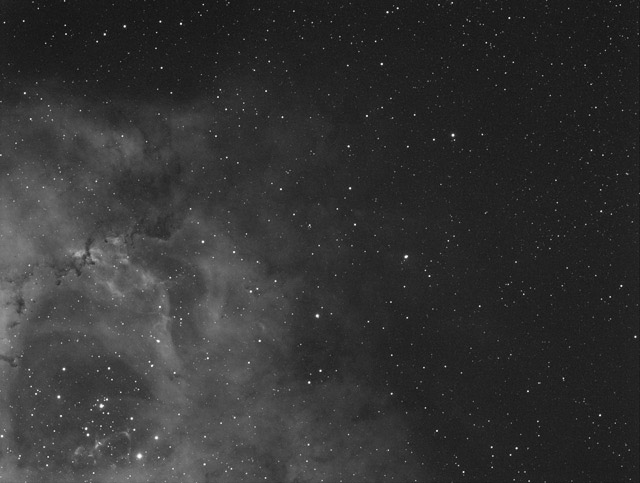
February 23-24th , 2015 : 8 x 20 min subs of the bottom right and left areas
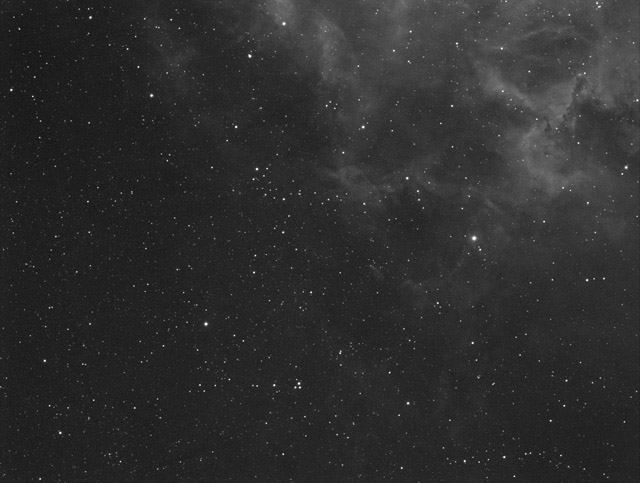

Due to a probable but yet unidentified user error, the bottom frames were not overlapping with the top. So the first mosaic attempt had some missing areas
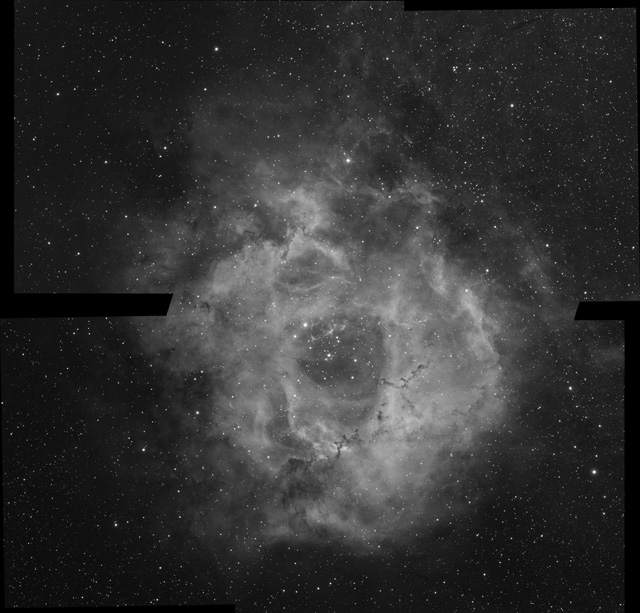
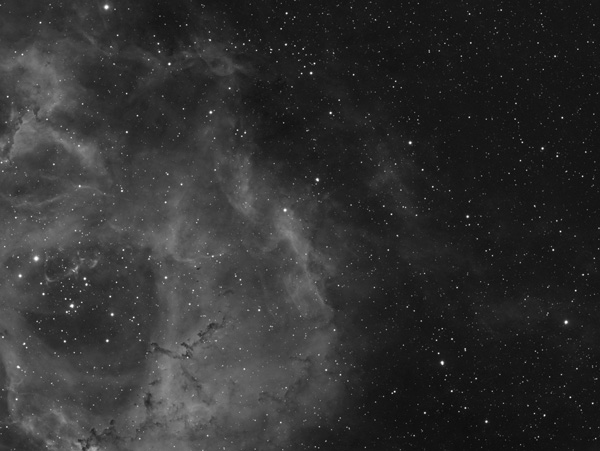
March 1st, 2015: 8 frames of the missing left side
The two extra frames added 3 more nights imaging in order to have all the necessary frames. But the Mosaic is complete
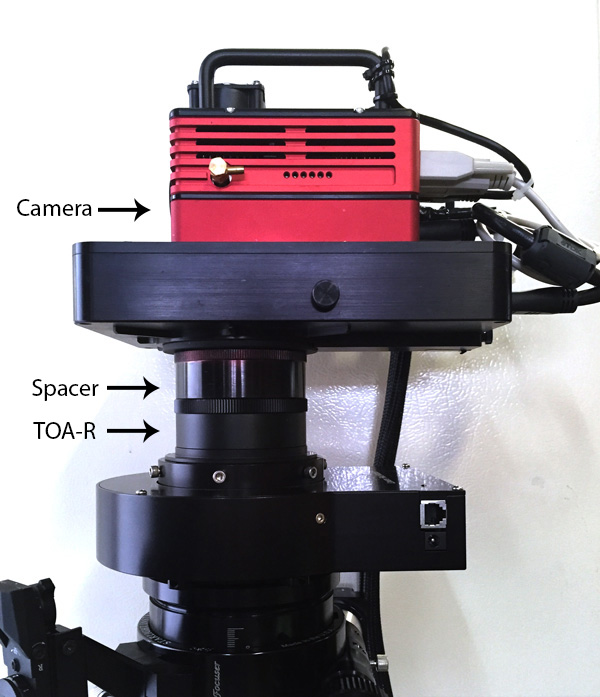
Finding the right spacer between a TOA-Focal reducer and an SBIG-STT 8300M with FW8G-STT
The distance between the reducer and the camera plane is critical. My telescope is a Takahashi TOA-130. I will be matching it with the TOA reducer and SBIG-STT 8300M camera with an FW8G-STT filter wheel.
My Imaging train
TOA-130 with The TOA-RF reducer backfocus

The first key number is calculating the backfocus distance. (more here)

The number I am looking for is 83.7mm, which is the optimal distance from the reducer to the CCD.
SBIG STT8300M and FW8G-STT Spec backfocus
For details go here

I am using 3mm filters so the back focus distance according to the chart is 52.5mm. SBIG technical support advised me to add 3.7mm for the mounting plate, The camera backfocus distance 56.2mm. A spacer is required between the focal reducer and the CCD.
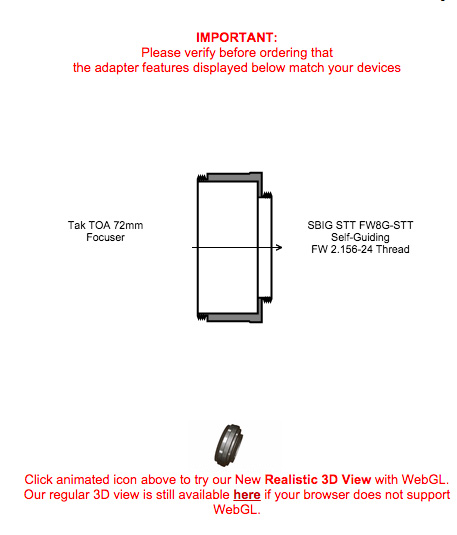
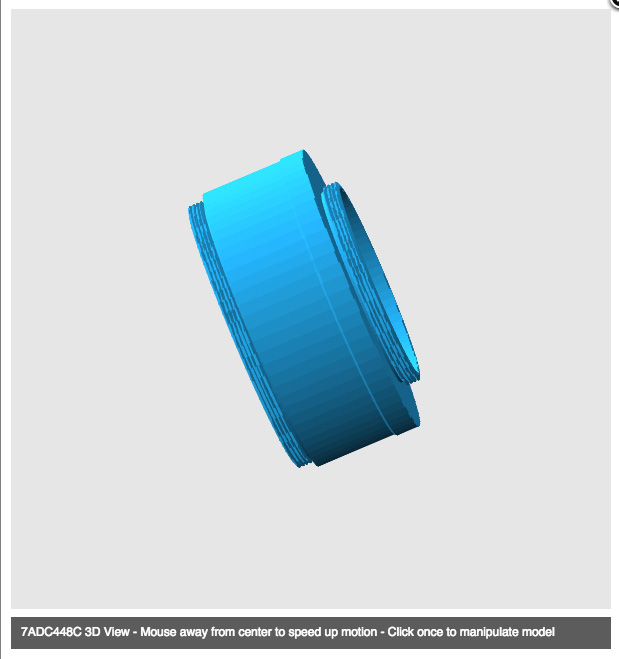
Spacer length = 83.7- 56.2 = 27.5mm spacer.
To build one go here.

Rosette Nebula Mosaic v2
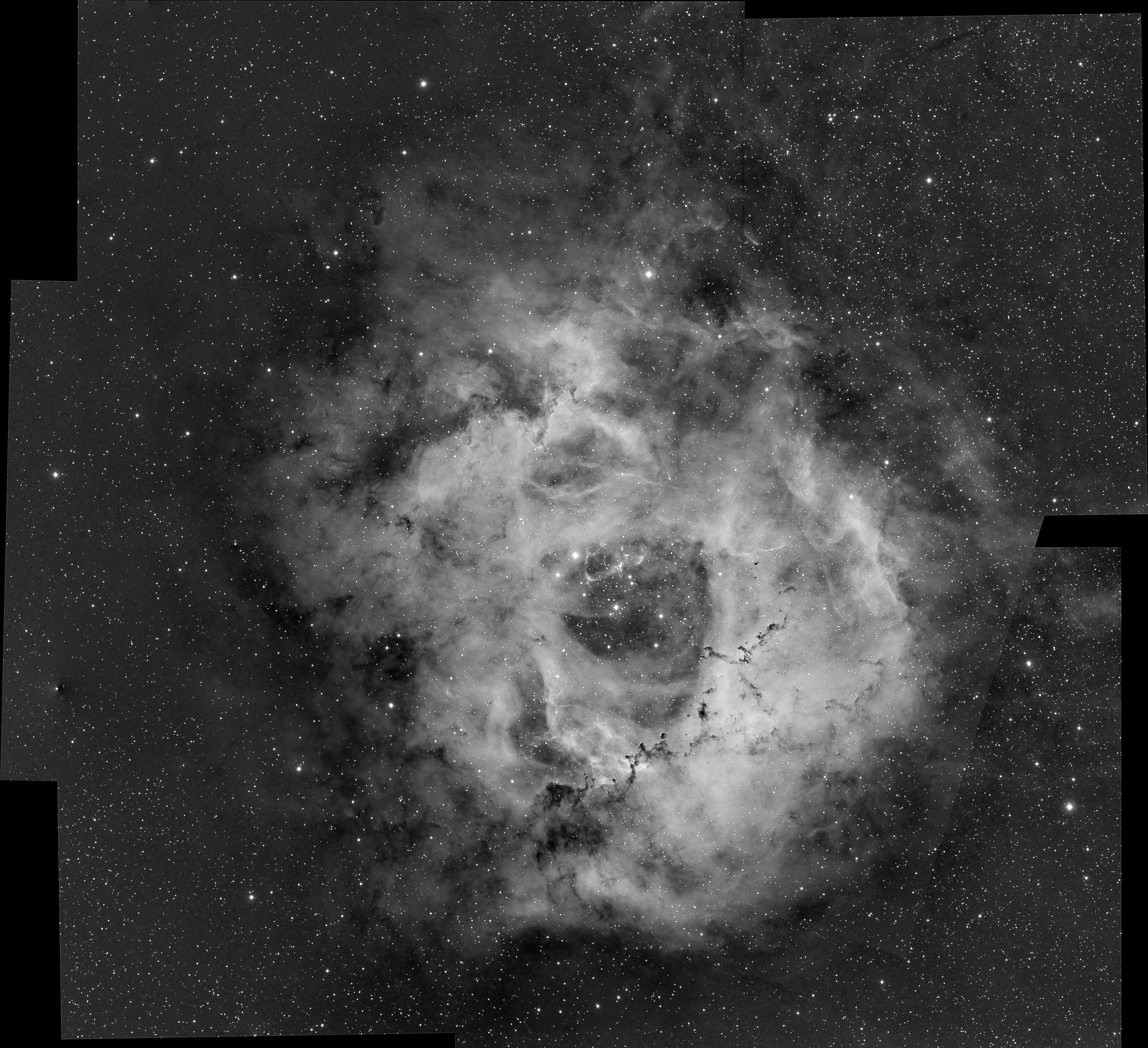
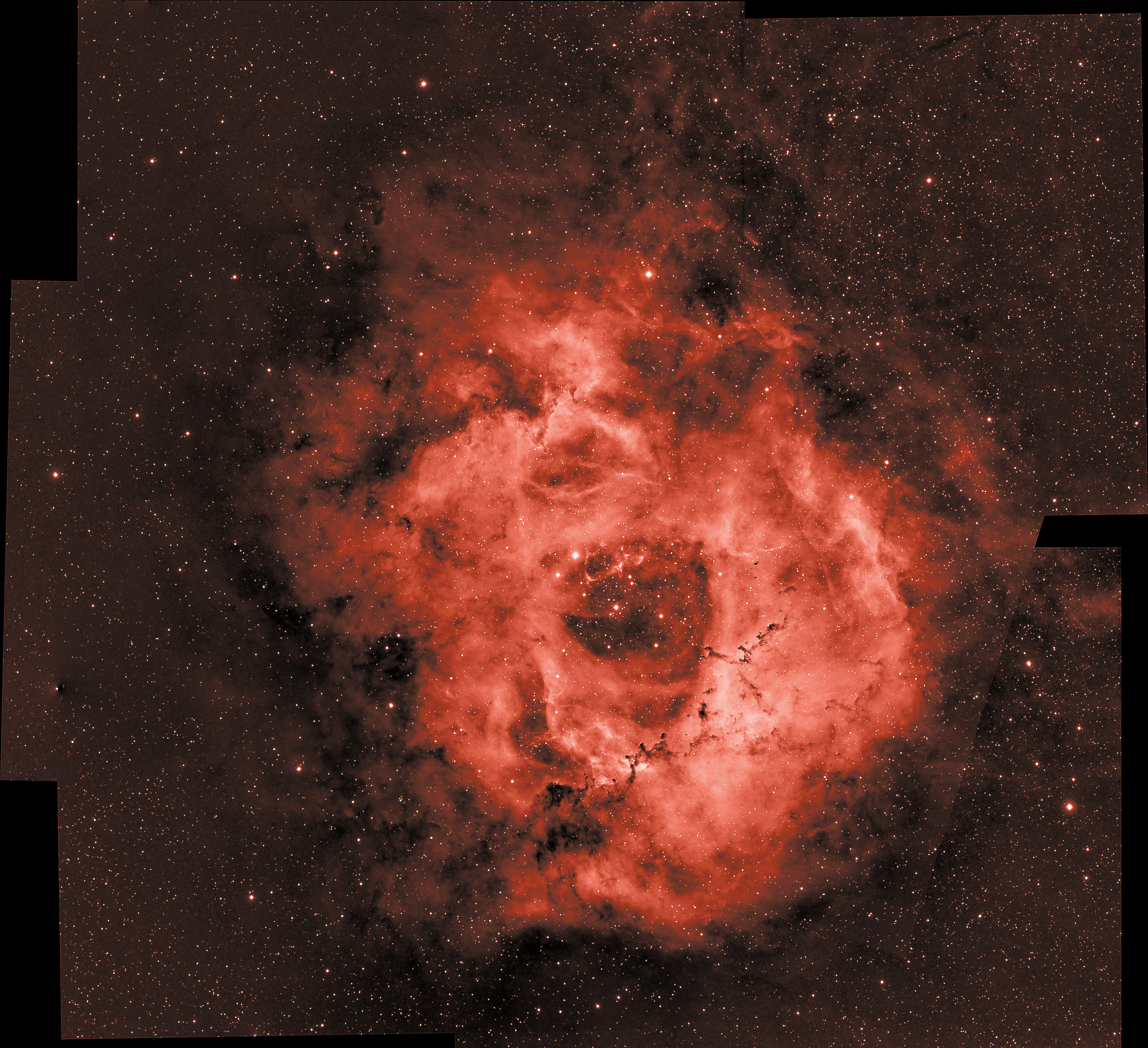
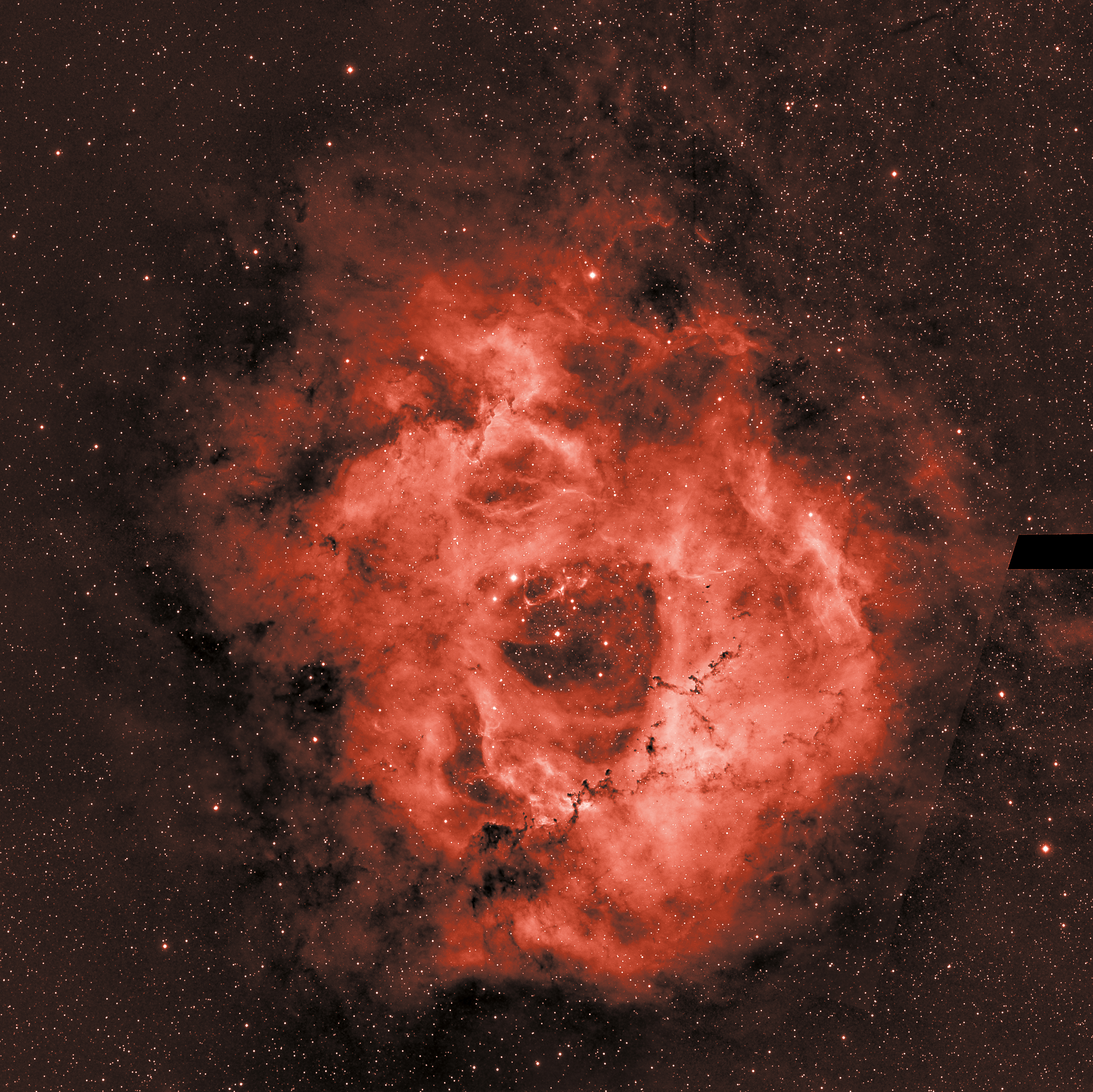
Adding the missing frames
Rosette Nebula Mosaic


frames : This is a composite of 5 sections x HA x 8 x 20m
Leo Triplet
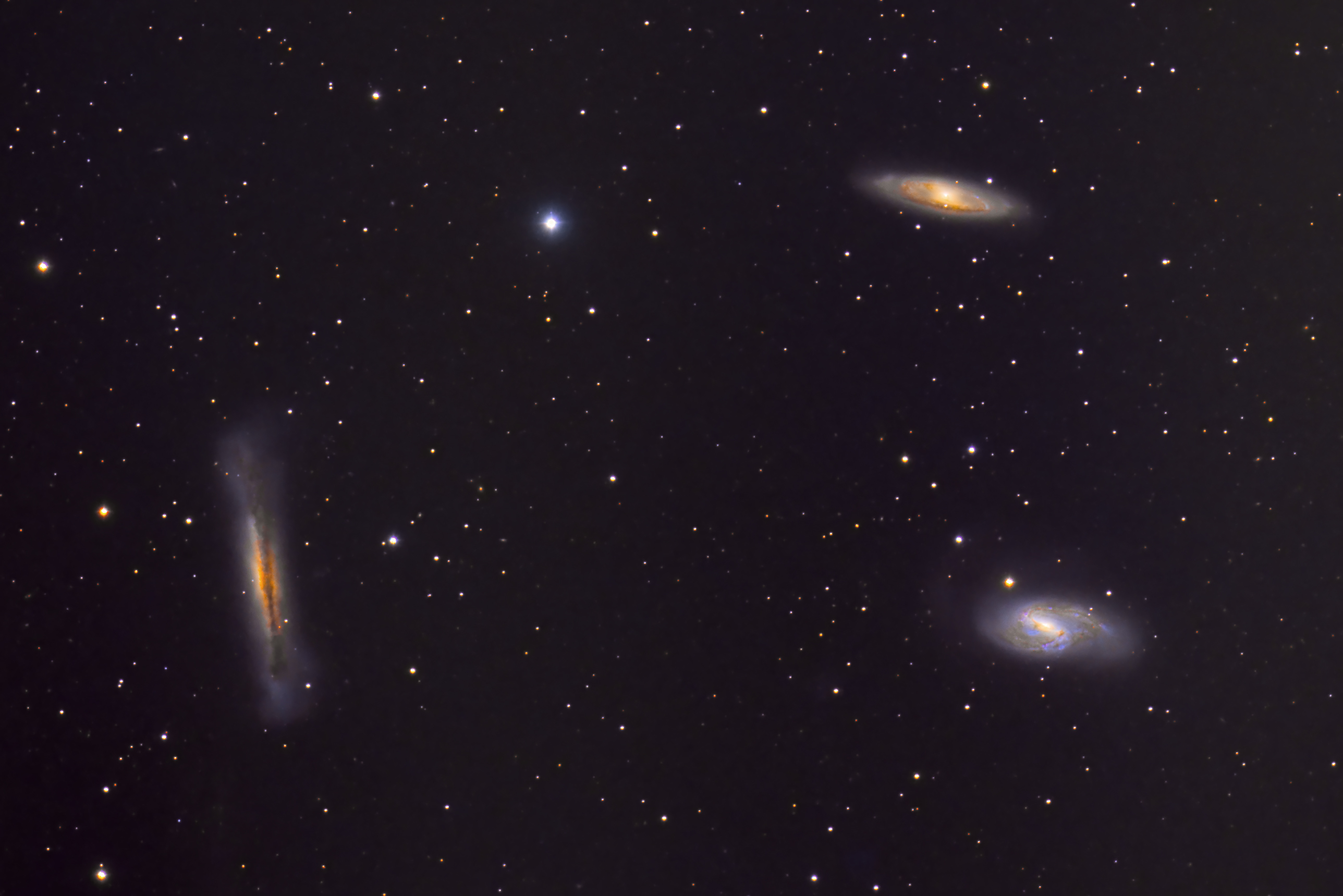
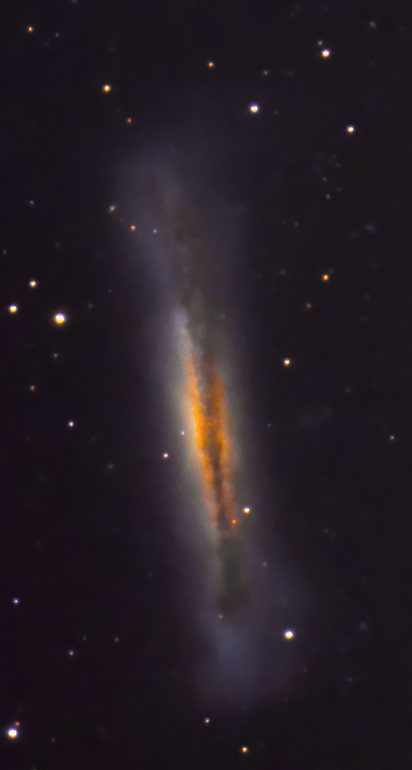
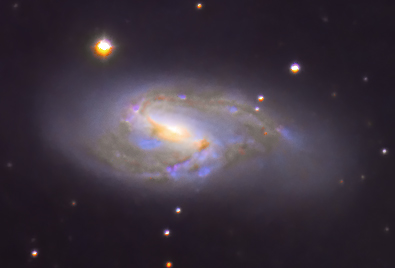
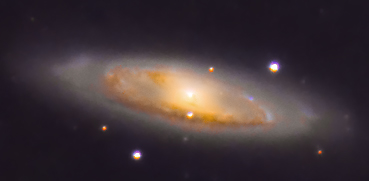
fames : L x 16 x 10m, R x 8 x 15m, G x 8 x 15m , B x 8x x 15m
 Cloudbreaker